
Java Logs Monitoring & Observability
Effortlessly track Java logs, gaining instant insights into errors and refining logging for a more efficient and reliable application.
Monitor Java app logs across Spring Boot, Quarkus, and production servers
Collect all Java logs in one place
Collect Logback, Log4j2, and standard Java logging output emitted by Spring Boot applications, Hibernate operations, and reactive components into a centralized log view.
Parse structured log data
Parse JSON-formatted logs, MDC fields, and SLF4J markers to extract contextual attributes such as request identifiers and application-specific metadata.
Track Spring transactions end-to-end
Correlate logs generated across Spring-managed transactions, JPA operations, and Spring Security flows to help investigate slow queries and transactional delays.
Catch memory and GC problems
Ingest JVM garbage collection logs and error output to identify GC pauses, memory pressure, and OutOfMemoryError events when GC logging is enabled.
Keep distributed trace context
Preserve trace and request correlation identifiers propagated via OpenTelemetry or custom MDC fields across asynchronous execution, messaging, and remote service calls.
Link logs to source code
Map production stack traces to Java class and method names to help locate the originating @RestController, @Service, or application component.
Monitor dependency issues
Capture startup and runtime logs that reveal dependency conflicts, incompatible Spring Boot versions, or missing logging bindings during application initialization.
Debug reactive streams
Collect logs emitted by Project Reactor and RxJava pipelines to analyze reactive execution errors and request flow interruptions.
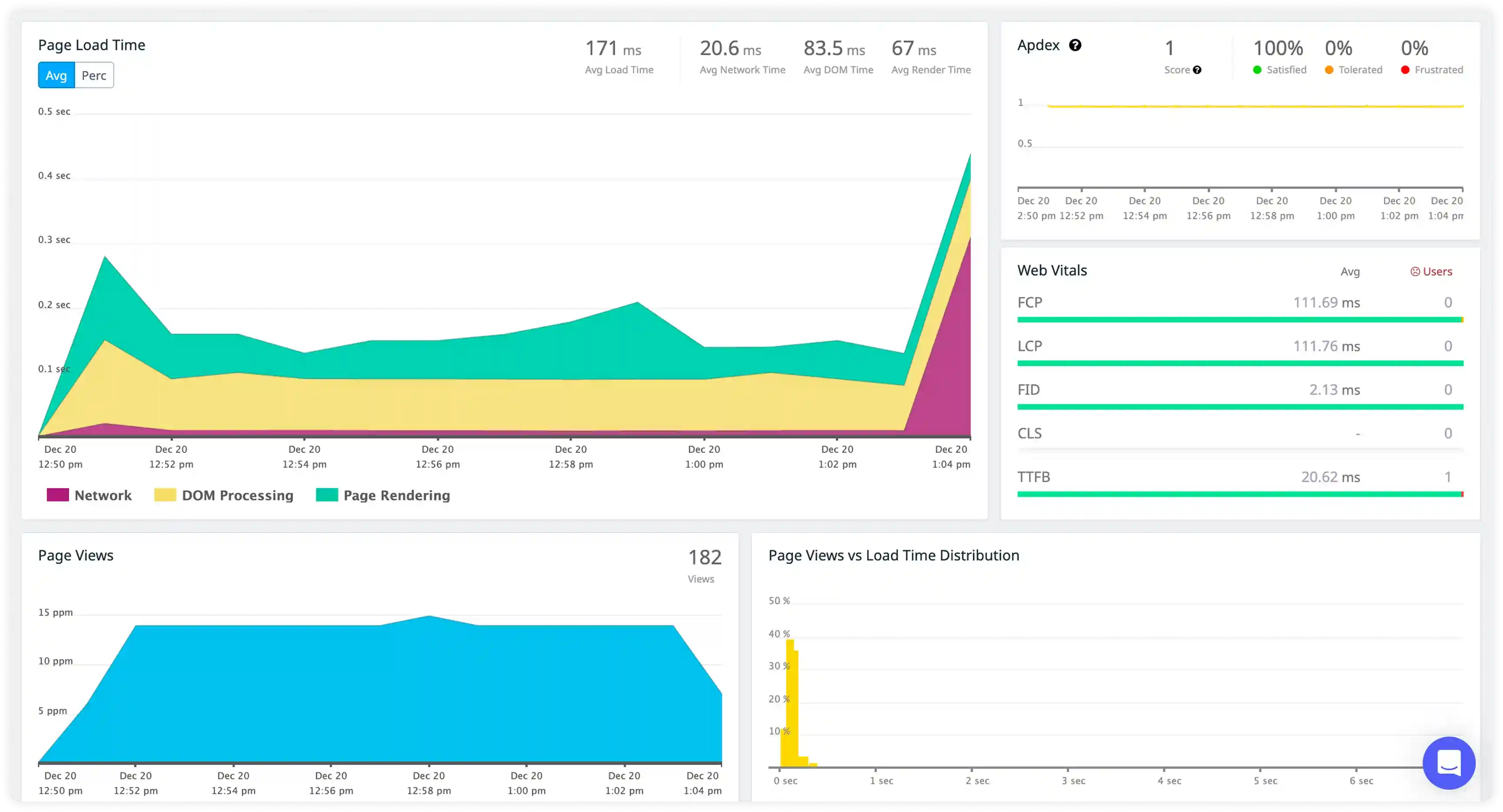
JVM and Application Execution Logging
- Track log generation across application services, scheduled jobs, and transaction processing to understand execution behavior within the JVM environment.
- Correlate log entries with request context, service layers, and transaction flows to trace application execution paths.
- Identify execution failures during service initialization, dependency injection, and runtime processing affecting application stability.
- Detect disruptions in transaction handling, background processing, and service communication across Java workloads.
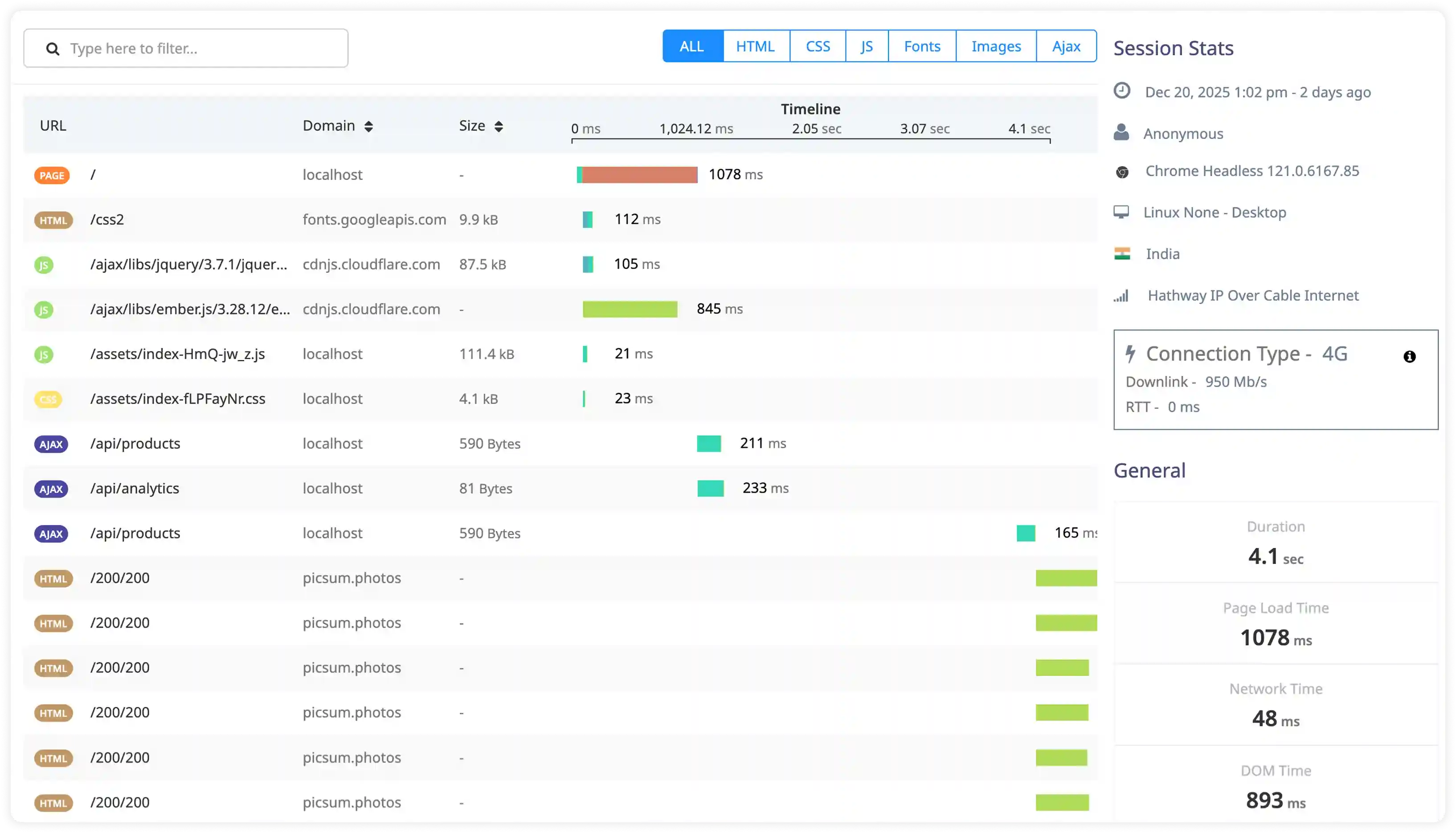
Exception and Stack Trace Diagnostics
- Capture Java exceptions, stack traces, and runtime errors generated across application components.
- Correlate exception logs with impacted services, endpoints, and deployment changes to identify failure sources.
- Identify recurring failures caused by configuration errors, dependency conflicts, and code-level regressions.
- Detect hidden runtime failures affecting transaction consistency and service reliability.
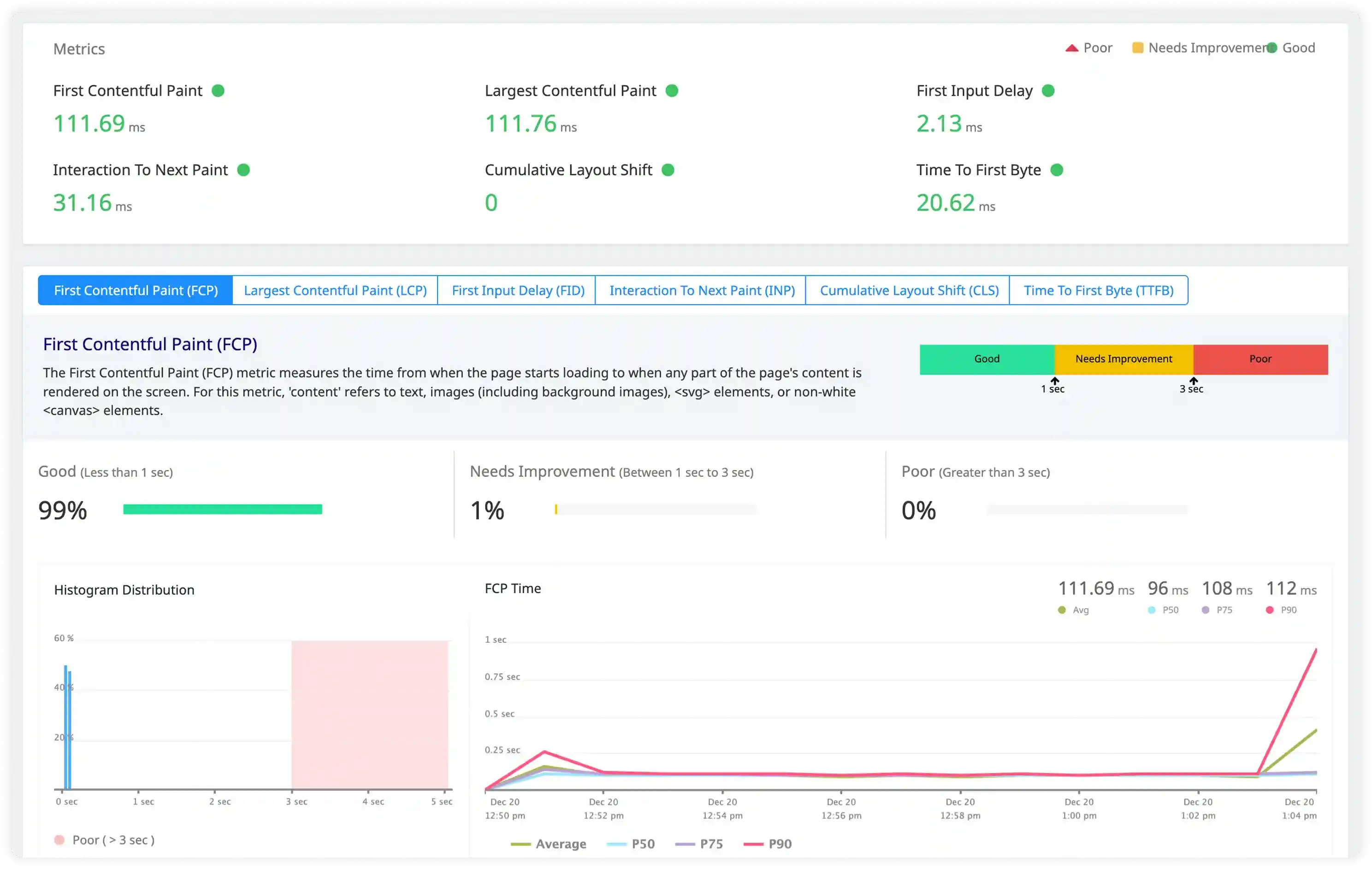
Thread, GC, and Performance Signals
- Analyze thread activity logs, garbage collection messages, and execution timing warnings affecting JVM performance.
- Correlate Java execution behavior with database latency, service calls, and infrastructure dependencies.
- Identify resource contention, thread blocking, and excessive logging impacting application performance.
- Detect performance degradation through abnormal GC activity, execution delays, and irregular runtime patterns.
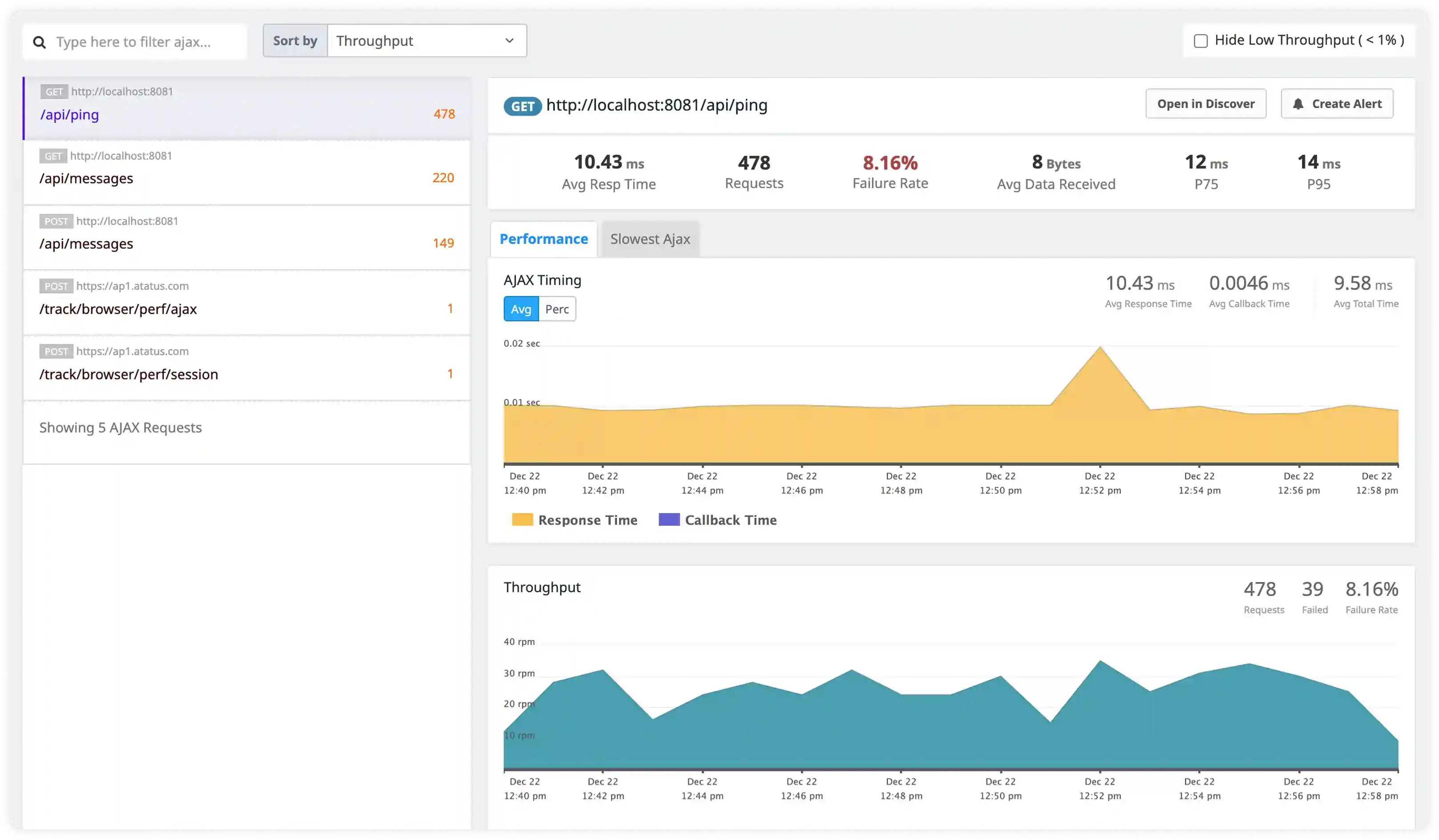
Security and Access Monitoring
- Track authentication issues, authorization failures, and suspicious request activity captured in Java application logs.
- Identify abnormal behavior across services indicating misuse, access violations, or operational risks.
- Correlate application logs with infrastructure and network activity for incident investigation.
- Detect operational and security incidents affecting Java workloads through centralized log visibility.
Why Choose Atatus for Java Logs Monitoring?
Spring Boot ready
Atatus automatically collects logs from Spring Boot applications without configuration changes.
Unified thread visibility
Atatus correlates thread pools and async task logs on a single timeline for clearer execution tracing.
Reliable async delivery
Atatus buffers and retries log forwarding to prevent data loss during network interruptions.
JVM memory insights
Atatus correlates garbage collection logs with application events to diagnose memory behavior.
Kubernetes-wide aggregation
Atatus centralizes logs across multiple pods and containers for complete visibility.
Secure log retention
Atatus stores application and audit logs securely with flexible retention controls.
Unified Observability for Every Engineering Team
Atatus adapts to how engineering teams work across development, operations, and reliability.
Developers
Trace requests, debug errors, and identify performance issues at the code level with clear context.
DevOps
Track deployments, monitor infrastructure impact, and understand how releases affect application stability.
Release Engineer
Measure service health, latency, and error rates to maintain reliability and reduce production risk.