RabbitMQ monitoring from queue depth to consumer lag
Atatus tracks queue size, consumers, unacknowledged and redelivered messages, node file descriptors, sockets and waiting processes, and vhost aliveness. The Atatus Infrastructure Agent reads them from the RabbitMQ Prometheus plugin.
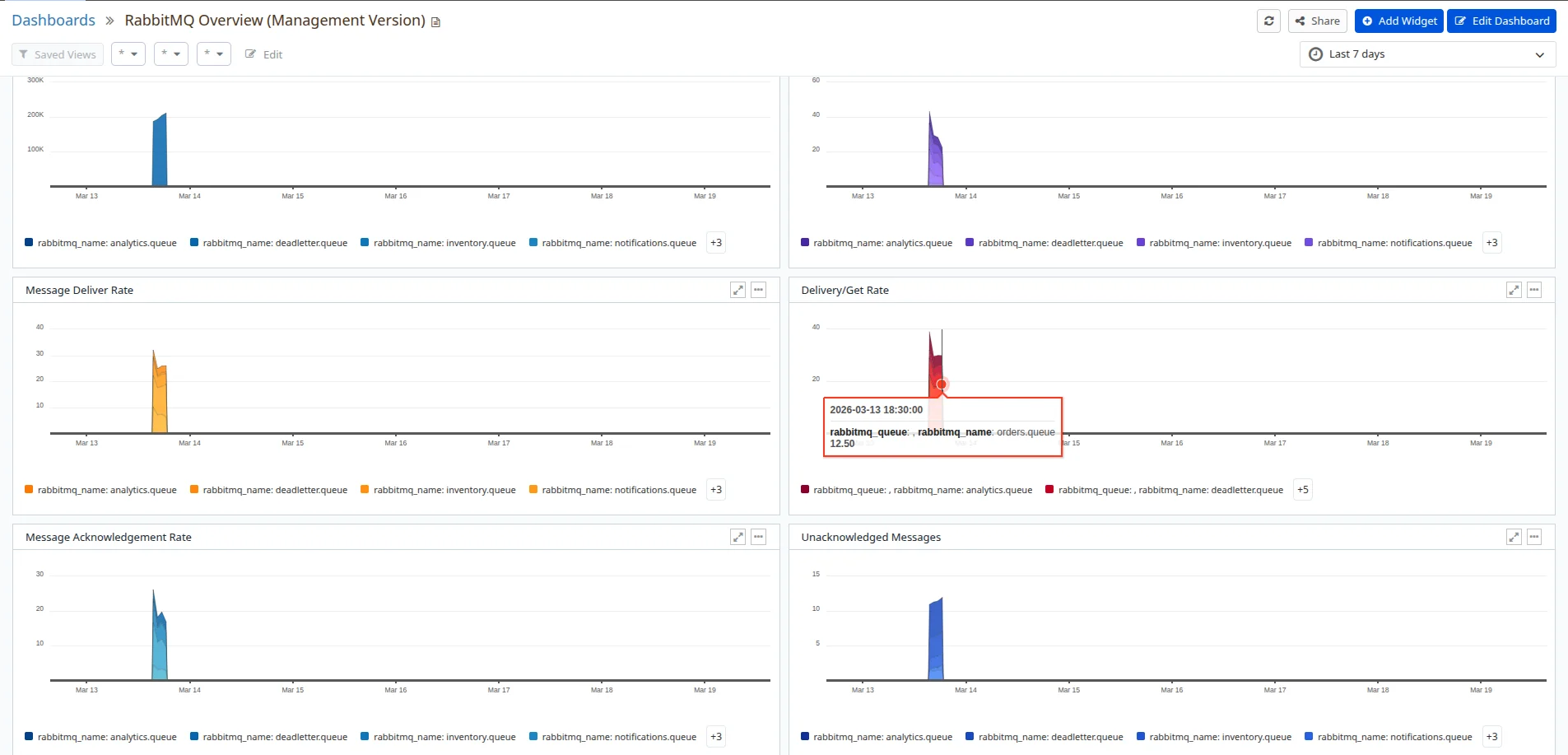
Spot the queue that's backing up.
Queue size, unacked and redelivered messages, with consumer counts. Change the load and watch the queue answer.
- Queue size
- 6,469
- Unacked
- 150
- Consumers
- 3
- Redelivered, 10 min
- 50
Drop consumers to see unacked messages come back as redeliveries · sample data
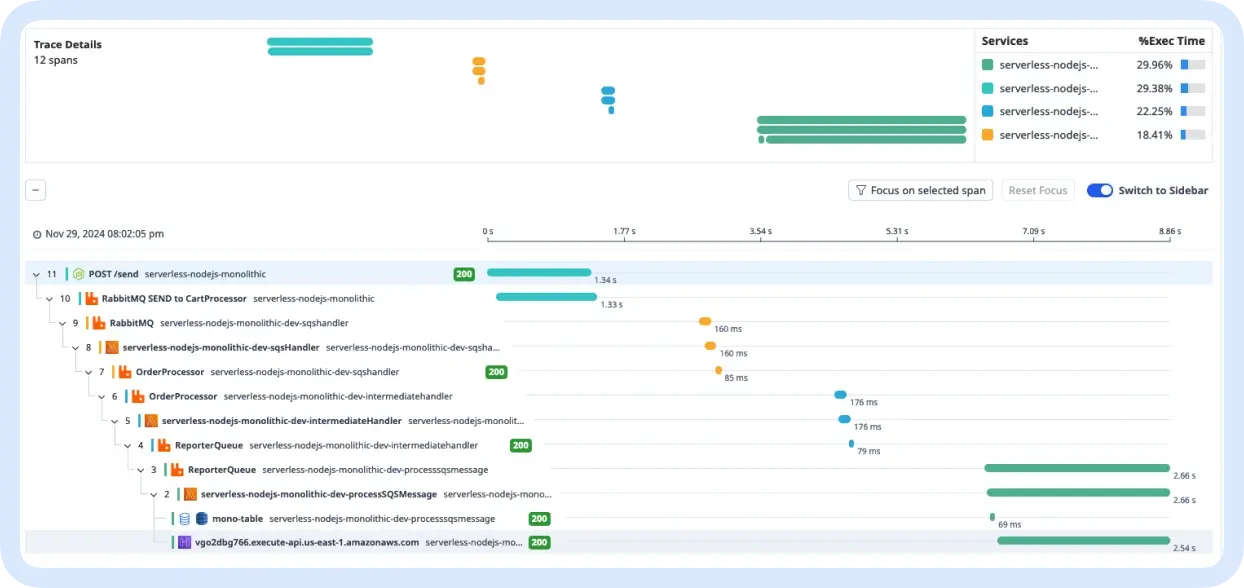
One message, traced end to end.
The publish and the consumers that pick it up, in one trace from the Atatus APM agents. Click a number.
More on traces: APM
Prometheus plugin in. Metrics out.
Bundled with the Atatus Infrastructure Agent 4.1.0 and later. Check your versions first.
- Upgrade the Atatus Infrastructure Agent to 4.1.0 or later. The RabbitMQ integration is bundled from that version.
# /etc/atatus-infra-agent/conf.d/rabbitmq.d/rabbitmq.yaml
metrics:
  - hosts: ["localhost:15692"]
    metrics_path: /metrics
    enabled: true
namespace: rabbitmq$ curl http://<HOST>:15692/metrics # Prometheus text, one line per metric
$ sudo service atatus-infra-agent restartMetrics land as custom metrics, prefixed rabbitmq.
RabbitMQ 3.8+ enables the Prometheus plugin by default. Setup guide
Questions about RabbitMQ monitoring
Pricing, deployment, data and the agent. If something is missing, a person will answer it on a demo call.
RabbitMQ monitoring tracks the health of your message broker: queue size, consumer counts, unacknowledged and redelivered messages for each queue, node waiting processes, used sockets and file descriptors, active connections, and whether each vhost is alive.
The RabbitMQ integration is bundled with the Atatus Infrastructure Agent 4.1.0 and later. The agent reads the RabbitMQ Prometheus plugin endpoint, localhost:15692/metrics by default, which you set in conf.d/rabbitmq.d/rabbitmq.yaml. No code changes are needed.
RabbitMQ 3.8 and later, where the Prometheus plugin is on by default and is the recommended way to monitor. The agent must be version 4.1.0 or later, on Linux or Windows. Check the endpoint with curl http://<HOST>:15692/metrics before you restart the agent.
Yes. RabbitMQ metrics are stored in Atatus as custom metrics, with a rabbitmq prefix by default, and Atatus alert rules work on custom metrics. You can alert when queue size or unacknowledged messages cross a threshold you choose.
Track queue depth, consumer lag and broker health through the RabbitMQ Prometheus plugin.
- SaaS
- On-premises
- Hybrid
- BYOC
- No per-user pricing
Compare Atatus with Datadog